IPTV Buying Guide UK: The 10-Point Technical Checklist
Ten checks to run before you pay for any IPTV service, in the order that protects you most.
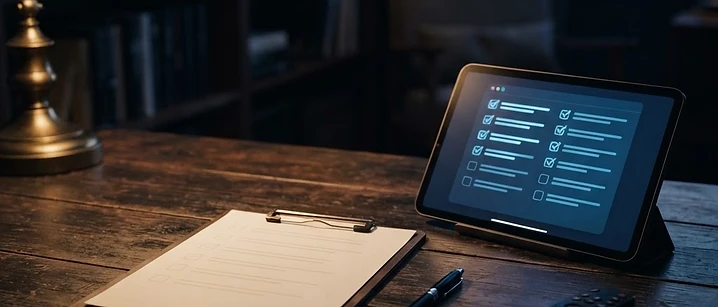
Direct answer: run ten checks before you pay for any IPTV service — a trial, a traceable payment route, a written device limit, a pre-sale support test, published terms, live sports performance, a realistic channel list, a defined refund position, app availability for your device, and a market-rate price. Failing any two of these is a reason to walk away.
The order matters. The first four checks protect you before money changes hands, and they take about a day to complete. The rest you can verify during the trial.
Check 1: Is there a trial?
A trial is the single most informative thing a provider can offer. It costs them server capacity, which means a confident operator will allow one and an oversubscribed one will not.
What a useful trial includes: at least 24 hours, access to the full channel list rather than a sample, and permission to test during live sport. Our free trial guide covers what to test once you have one running.
Check 2: Is the payment route traceable?

Payment method determines how much protection you have if the service is not delivered. Card payment through a recognised processor gives you a dispute mechanism. Irreversible transfers give you none.
What to check:
- Card or a recognised payment processor rather than a direct transfer
- A clear statement of what you are buying and for how long
- A receipt or confirmation you can keep
- The currency and total, including any fees, shown before you confirm
Check 3: Is the device limit stated in writing?
The device limit is how many streams can run at the same time on one account. It is the most common source of disputes, because people assume it means devices rather than simultaneous streams.
What to check: a written statement of the connection count. Our multi-room guide explains how to work out how many your household needs before you buy.
Check 4: Does support answer a technical question?


Send a specific technical question before you buy — not a price question. Ask which player apps they recommend for your exact device, or how to move a playlist between two televisions.
What a good answer looks like: a specific reply naming real apps, within a few hours, that does not read like a template. What you are testing is what an outage would feel like at 9pm on a Saturday.
Check 5: Are the terms published?
Published terms are a sign of a service that intends to be held to account. Check what they say about service availability, account sharing, and what happens if the service changes.
Red flags: no terms page, terms that contradict the sales page, or a refund policy that only exists inside a chat message.
Check 6: Does it hold up during live sport?


Live sport concentrates demand and exposes weak infrastructure. Test during a full match at peak time rather than on a weekday afternoon.
What to count: interruptions across ninety minutes. One or two brief dips is normal. Repeated buffering means the provider lacks capacity — see our buffering guide to separate that from a local problem, and the Premier League IPTV guide for what to expect during football specifically.
Check 7: Is the channel list realistic?
The channel list tells you what categories are covered and how they are organised. What it should not do is promise guaranteed access to specific premium rights, which no legitimate IPTV service can deliver. Our channel list guide explains how to read one properly.
What to check: that the categories you actually watch are present, that regional variants are included if you need them, and that the list is organised well enough to browse.
Check 8: Is the refund position defined?
Refund terms should be stated before you pay, not negotiated afterwards. A defined policy — even a strict one — is better than an unstated one.
What to check: the conditions under which a refund is available, the timeframe, and how to request it. Our guide to IPTV subscription models explains how different contract lengths affect your exposure.
Check 9: Is the app available for your device?
A service is only usable if you can play it on the hardware you own. Before buying, confirm which player apps are supported on your exact device.
Check your device first: our best IPTV apps guide covers the main options, and the Smarters setup guide and TiviMate guide walk through the two most common players.
Check 10: Is the price in line with the market?
Prices far below the market usually mean the service is resold rather than operated, and resold services disappear when the upstream account is closed. Prices far above it are usually marketing.
What to check: our IPTV cost guide sets out realistic UK price bands so you can tell the difference.
Running the checks in practice
- Day one — request the trial, send the technical support question, read the terms.
- Day one, evening — install the player app on your actual device and log in.
- Days two to six — watch normally, testing five channels a day and timing channel changes.
- Day seven — watch a full live sporting event at peak time and count interruptions.
- After — total up: how many of the ten checks passed?
Eight or more is a service worth subscribing to. Fewer than six is a service to leave alone.
The bottom line
Buying IPTV is a due diligence exercise, and the ten checks take about a week. Do them in order, keep notes, and judge the service on what you observed rather than what the sales page promised.
For the wider picture before you start, see our pillar guide to IPTV in the UK, and for the legal position, whether IPTV is legal in the UK.
Frequently asked questions
Related guides

 UK Guides
Freeview on IPTV: How to Watch UK Free-to-Air Channels Online
Free-to-air UK channels can be watched through an IPTV player. Here is what is genuinely free, and what is not.

 UK Guides
Best IPTV UK According to Reddit: What Real Users Recommend
Reddit is the best and worst place to research IPTV. Here is how to separate genuine user reports from the promotional noise.

 UK Guides
Compare IPTV Providers UK: A Side-by-Side Benchmark Guide
A provider comparison built on things you can actually measure: uptime, channel change speed, and how a service holds up during live sport.


Ready when you are.
Pick a package, tell us your device, and we'll help you get set up for the evening.